
Get a song ready for TV, film and ads
One song with its rights sorted and its files packed, a short list of honest places to send it, and every submission logged so you know when to follow up.
What this gets you
A song a music supervisor can say yes to without a single email back to you. Your manager walks you through the paperwork and the files, shows you places that take music from independent artists, and keeps track of where you sent it. You do the sending, from your own accounts.
When to use it
Use it for a finished song you own, or co-own with people you can reach. Start early: sorting splits and getting an instrumental bounced takes days, and supervisors move fast once a brief is out. It is not for a demo, and it is not a shortcut to a placement. Nobody can promise one, and replies often take months.
Do it
- Open Sync Coach (Cmd+K, type "Sync Coach"). On the Songs tab, click Pick a song, or Add a song if it is not in your Music Library yet. Click How sync works for the short version of what sync is and why the paperwork comes first.
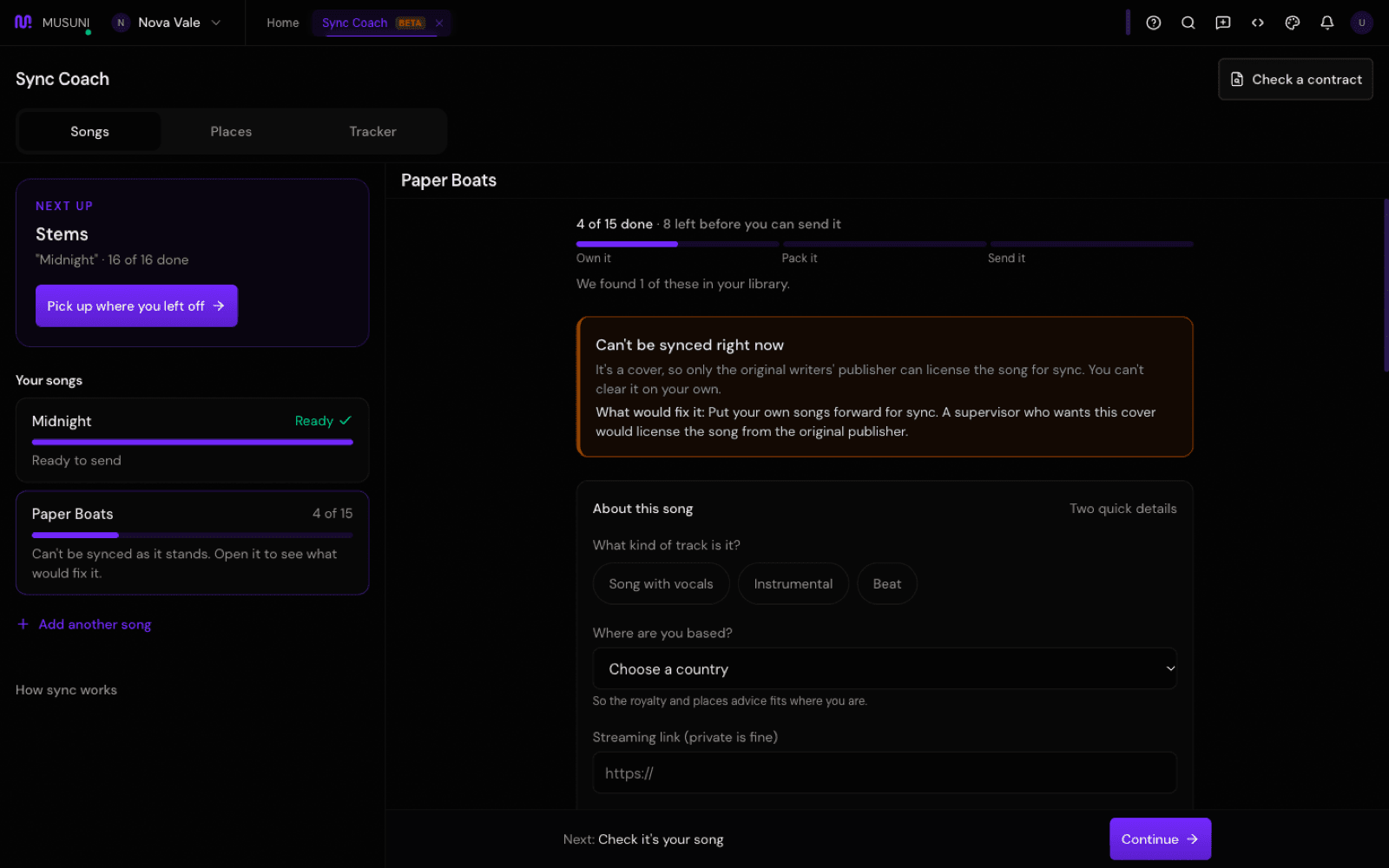
- Work through Own it. One question per screen: who wrote it, the splits in writing, who owns the recording, samples, existing deals, PRO registration. Answer Yes, No or Not sure. "Not sure" keeps the step open until you know. The box at the top says Ready to clear when everyone who needs to say yes can.
- Work through Pack it: the main mix as a WAV, the instrumental, a clean version, song details in the file, a streaming link and a download link. Answer I have it, Not yet or Not needed for this song. Stems, short edits and a lyric sheet sit under "Makes you easier to pick (not needed to send)".
- Fill About this song: the kind of track, where you are based, a Streaming link (private is fine) and a Download link (WAV and instrumental). Copy the file names and song details the coach gives you into your files.
- When the song says Ready to send, click See where to send it. The Places tab lists places we have checked by hand, grouped by how they work. Filter by Suits me, Free to try or Keeps ownership.
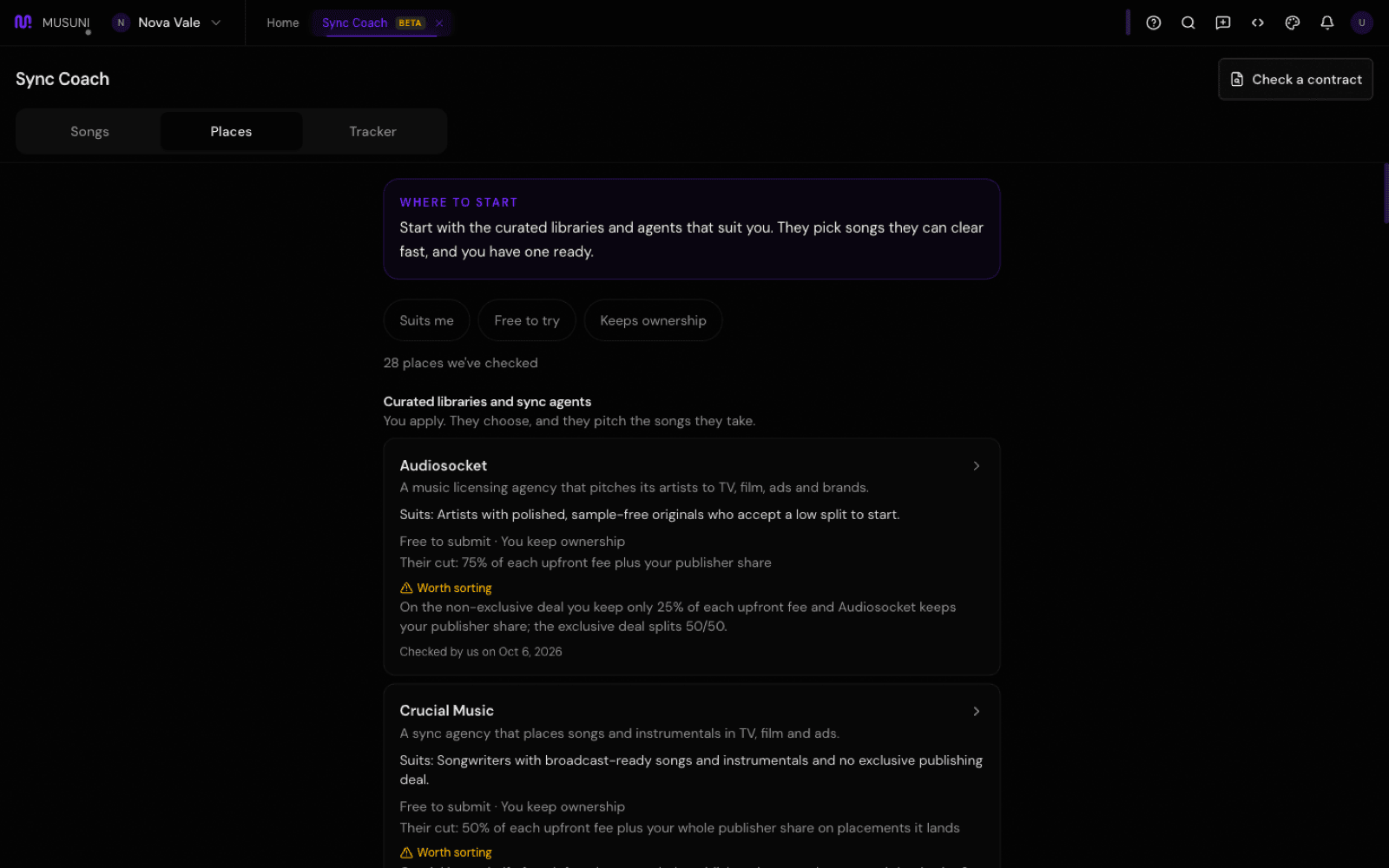
- Open a place and read it top to bottom: Who it's good for, What it costs you, The deal in plain words, Watch out for and How to get in. Each card carries a warning level (Good to know, Worth sorting, Fix before you send, Avoid) and the date we last checked it. Click Submit on their site, send it yourself, then click I sent a song here.
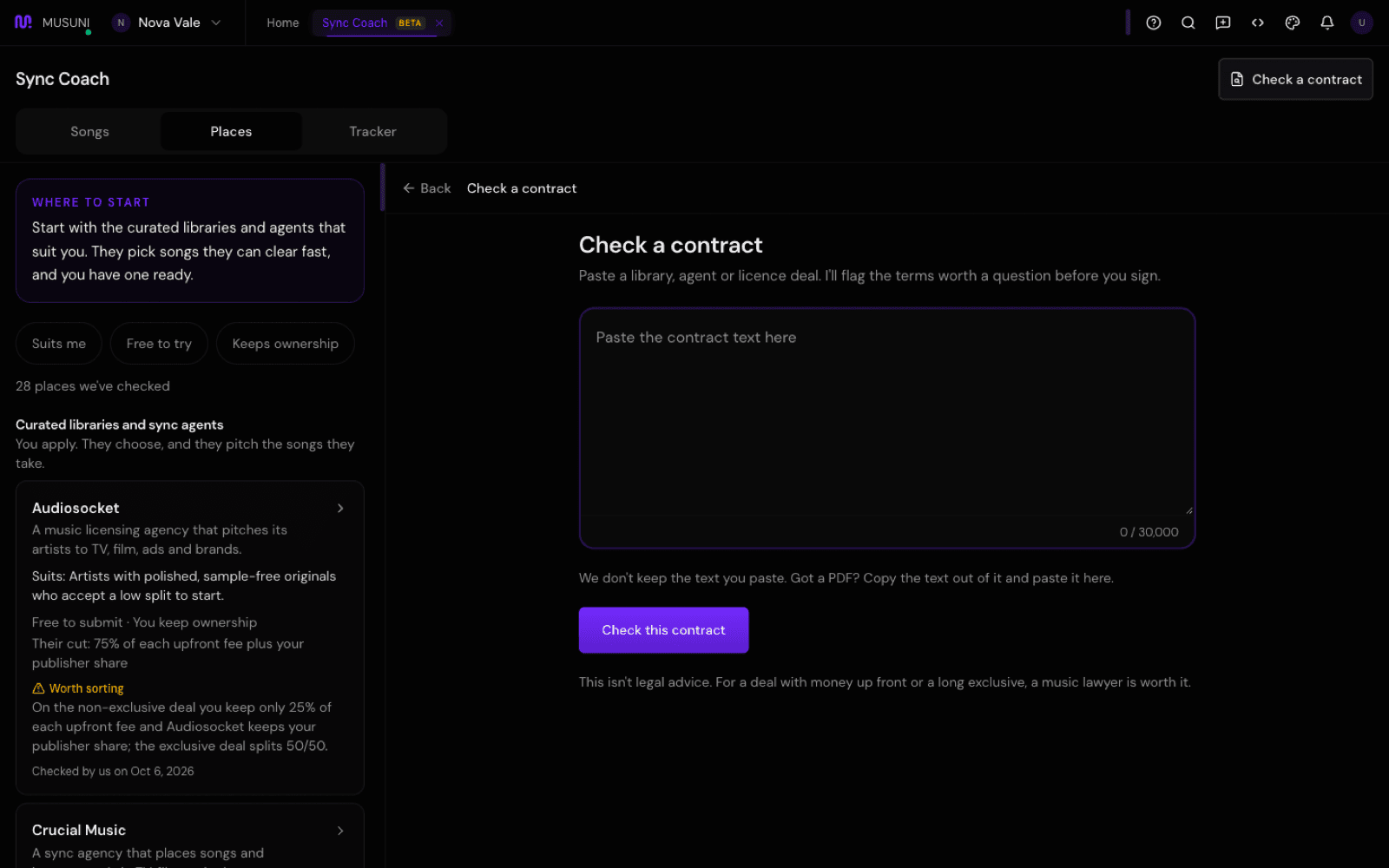
- If they send you a contract, click Check a contract in the header, paste the text and click Check this contract. You get a verdict (Looks standard, Ask before you sign or Don't sign as written), each flagged clause with what is normal, and questions to send back with Copy the questions.
- Keep the Tracker tab current. Log each send, then click Update when something happens: Sent, Heard back, Accepted, Passed, Licensed or No reply. After 30 days with no reply it offers a short check-in note to copy, and if you sign an exclusive deal it reminds you 30 days before it ends.
Let Manny do it
Type "Get my song ready for sync" or "How do I get my music in TV?" and Manny opens Sync Coach at the next step. "Where am I with sync?" reads back what is done and what is next. "What does one-stop mean?" explains the term in plain words. "Find sync places for instrumentals that let me keep ownership" pulls matches from the checked list. Paste a contract and say "check this sync contract" to run the same check in chat. On Creator and up, "Draft a pitch for this brief" checks the fit and opens the pitch helper, where you edit and copy the draft. Manny never submits a song or sends a pitch.
What it cannot do
- Musuni prepares, you submit. Nothing is sent from here, and Musuni does not pitch, represent or place music.
- No placement is promised. Supervisors pass on most songs, replies often take weeks or months, and royalties from a placement can take 6 to 18 months to arrive.
- Places are checked by hand and details change. A card that has not been re-checked in 90 days says "Not re-checked recently". Read their own terms before you send.
- The contract check reads the wording only. It is not legal advice, it cannot tell you who you are dealing with, and it reads pasted text (copy the text out of a PDF). For money up front or a long exclusive, talk to a music lawyer.
- On Free you get one song through Own it and Pack it, every place to read, and one contract check. Submission links, the Tracker, more songs, the one-sheet and pitch drafts, and 50 contract checks a month come with Creator and up.
- It is new and still in beta. Sync Coach may be hidden in your menu until it is unlocked for you; ask Manny to open it.