
Build a playlist you own
A public playlist with a name people actually search for, a ready tracklist with your songs in it, and a plan to grow it, so every release starts with an audience you own.
What this gets you
A playlist of your own that strangers find in search and follow. Your songs sit next to music your listeners already love, and every new release has a place to land on day one without waiting on a curator.
When to use it
Start weeks before a release so the playlist has followers when your song comes out. It is a slow, compounding move, not a release-week trick. Skip it if you will not keep the playlist updated; a stale playlist loses followers.
Do it
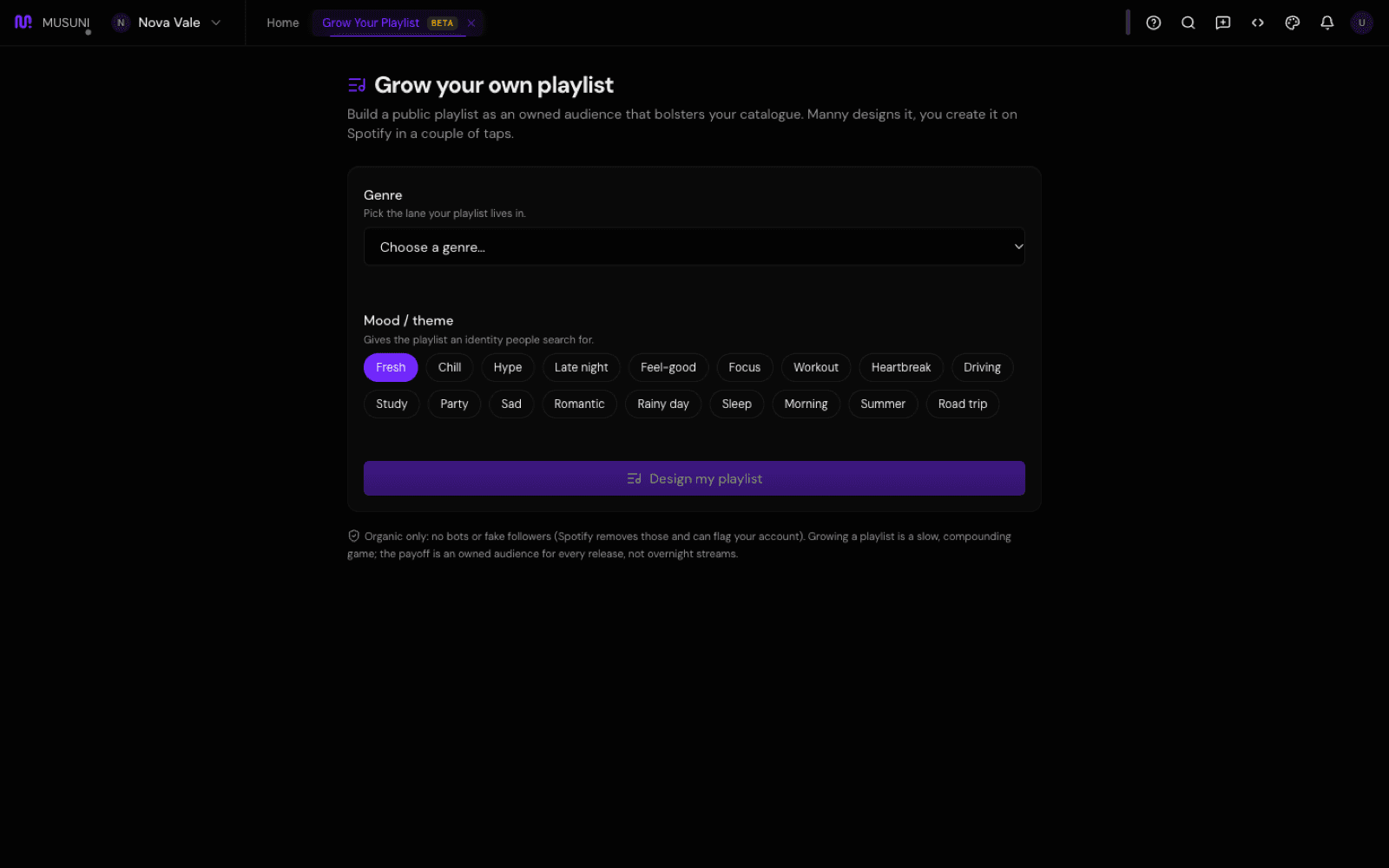
- Open Grow Your Playlist (Cmd+K, type "playlist"). Under "Grow your own playlist", pick a Genre and a Mood / theme, then click Design my playlist.
- Under Name it for the search bar, read the five names. Each one is checked against playlists that already rank for that phrase: Strong search bet, Contested or Weak demand. Names that use a famous artist are crossed out. Pick one and click Use this.
- Read the Playlist blueprint. Edit the Name and Description if you like, and copy each one. Your brand belongs in the description, not the title.
- Check the Tracklist. Your own songs are marked Your track; the rest are songs that fit the same lane. Not quite the vibe? Describe the change, for example "more acoustic, slower", and click Refine.
- Follow Create it on Spotify: make a new playlist, paste the name and description, add the tracks in the order shown (Copy all links helps), and make it public. It takes about two minutes.
- Read Grow it into an engine and pick one habit to start this week, such as updating the playlist on the same day every week.
- On Creator and up, paste the playlist's Spotify link under Made it on Spotify? Track its growth and click Track. Musuni records the follower count every day so you can watch it grow.
- When it has a following, click Open to submissions to take songs from other artists, with a weekly cap you set.
Let Manny do it
Type "Help me build my own playlist to grow an audience before my next release" and Manny opens Grow Your Playlist and explains the method. "What should I call my chill R&B playlist?" gets five names with how well each one could rank in search. Creating the playlist on Spotify is yours to do; Manny cannot do it for you.
What it cannot do
- Musuni does not create the playlist or add tracks on Spotify. Spotify does not let apps bulk-add tracks for you yet, so that step is yours.
- Your own songs only show up in the tracklist if your artist profile is linked to Spotify.
- It never buys followers or streams, and you should not either. Fake followers get removed and can get your account flagged.
- Search scores are an estimate (a "~" means rougher still). A strong name helps people find it; it does not guarantee followers.
- Designing the playlist is free on every plan. Tracking follower growth needs Creator or up and is in beta.
- Grow Your Playlist may be hidden in your menu until it is unlocked for you; ask Manny to open it.