
Email your fans directly
An email list you own, built from your pre-save pages, imports and sign-ups, and a release announcement that lands in your fans' inboxes instead of hoping an algorithm shows it.
What this gets you
A list of fans you can reach whenever you want, on your terms. When a song comes out or a show goes on sale, they hear it from you first, in their inbox.
When to use it
Once you have people to write to: fans who signed up on a pre-save page, an old mailing list you can import, or emails you collected at shows. Send when you have something real to say, such as a release, a show or a behind-the-scenes note. A few good emails a month beat a weekly one nobody opens.
Do it
- Open Fan CRM. It is not in the main menu yet: ask Manny "open my Fan CRM", or use Grow a list I own in Career Roadmap. Fan CRM comes with Creator and up.
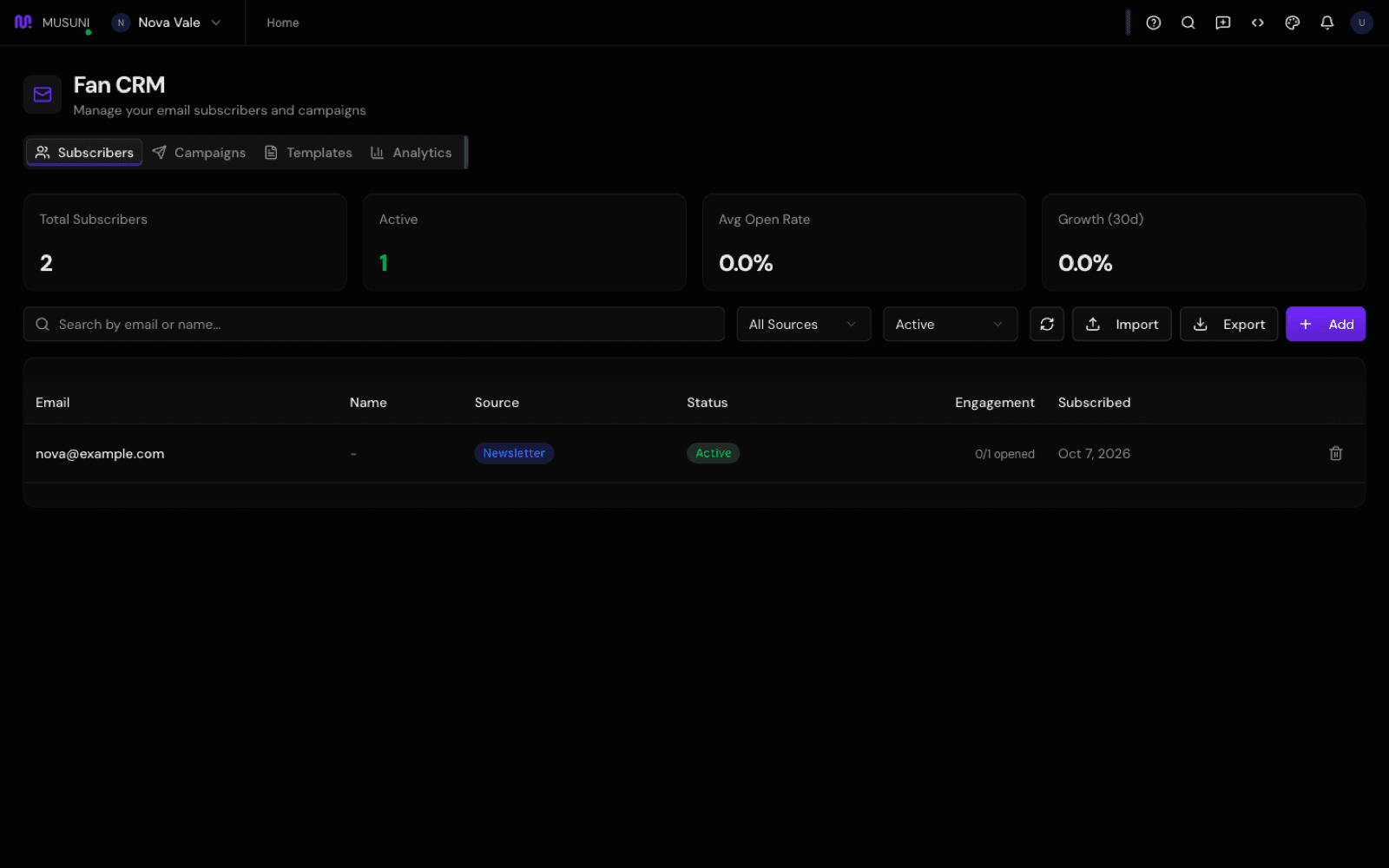
- On Subscribers, bring in the fans you already have. Click Import, choose a CSV with an "email" column (first and last name columns are optional) and click Import N Subscribers. Duplicates are skipped. Or click Add for one person at a time.
- Keep the list growing on its own: fans who opt in to your newsletter on a pre-save page are added automatically as Pre-Save. See Set up a pre-save and smart link.
- Go to Campaigns and click New Campaign. Give it a Campaign Name, pick a Type (Announcement, Release Notification, Tour Update or Newsletter), and write the Subject Line. Write the email in Content (HTML) by editing the starter text, keeping each paragraph inside its
<p>and</p>tags.{{subscriber_name}}puts in each fan's name.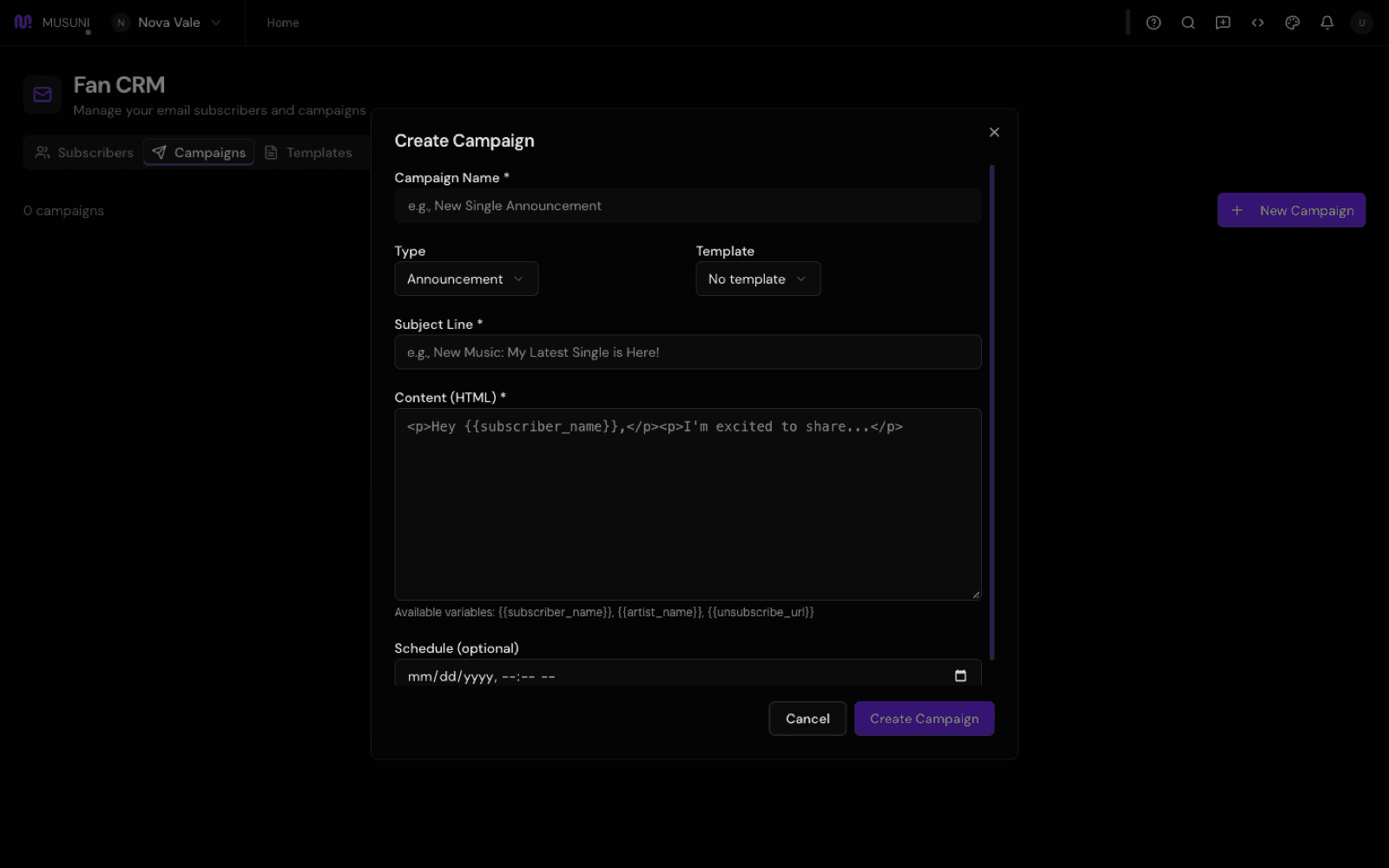
- Leave Schedule (optional) empty to save it as a draft, or set a date and click Schedule.
- When you are ready, click Send on the campaign and confirm. It goes to every Active subscriber, with an unsubscribe link at the bottom of each email.
- Click Analytics on a sent campaign to see how many went out, the open rate and unsubscribes. The Analytics tab shows where your subscribers came from and how the list grew over the last 7 and 30 days.
- Use Export any time to download your list as a CSV. It is your list.
Let Manny do it
Type "Draft an email to my fans announcing my new single drops Friday" and Manny drafts the campaign for you to read in Fan CRM. "How is my email list doing?" gives the totals and recent sign-ups without showing anyone's email address. Manny sends or schedules only after you confirm in plain words, and never a draft you have not had a minute to look at.
What it cannot do
- Emails come from your artist name via Musuni. Replies do not reach you yet, so put your contact email or socials in the email if you want fans to write back.
- Every campaign goes to all your Active subscribers. You cannot send to one group yet.
- Opens are counted; link clicks are not yet, so click rates show zero for now.
- Sign-ups from the newsletter block on your link in bio page are saved but not yet included in campaign sends. Pre-save sign-ups, imports and fans you add are.
- You cannot create your own templates yet; built-in ones are listed under Templates.
- Plans: not on Free. Creator includes 5,000 contacts and 5 campaigns a month, Pro 25,000 contacts and 20 campaigns, Studio unlimited.
- Only import people who agreed to hear from you. A bought or scraped list hurts your sending and breaks the trust you are building.
- It is in beta, and it may be hidden until it is unlocked for you.