Connect your accounts
Your streaming and social accounts are linked, so your numbers fill in on their own and posts you schedule actually go out.
What this gets you
Your streams, followers and playlist adds show up without you copying anything in. Posts you plan in Musuni go out on their own on every connected platform Musuni can publish to, while you do something else.
When to use it
Do this in your first session. Come back when a card says a connection expired, when you change a password on a platform, or when you get a new Facebook Page.
Skip a platform you do not use yet. Nothing breaks. You can connect it later from the same screen.
Do it
- Open Integrations. Press Cmd+K (Ctrl+K on Windows), type "Integrations", or ask Manny to open it. The header reads "Connect platforms to unlock analytics, scheduling, and more" with counts for Connected, Available and Coming Soon.
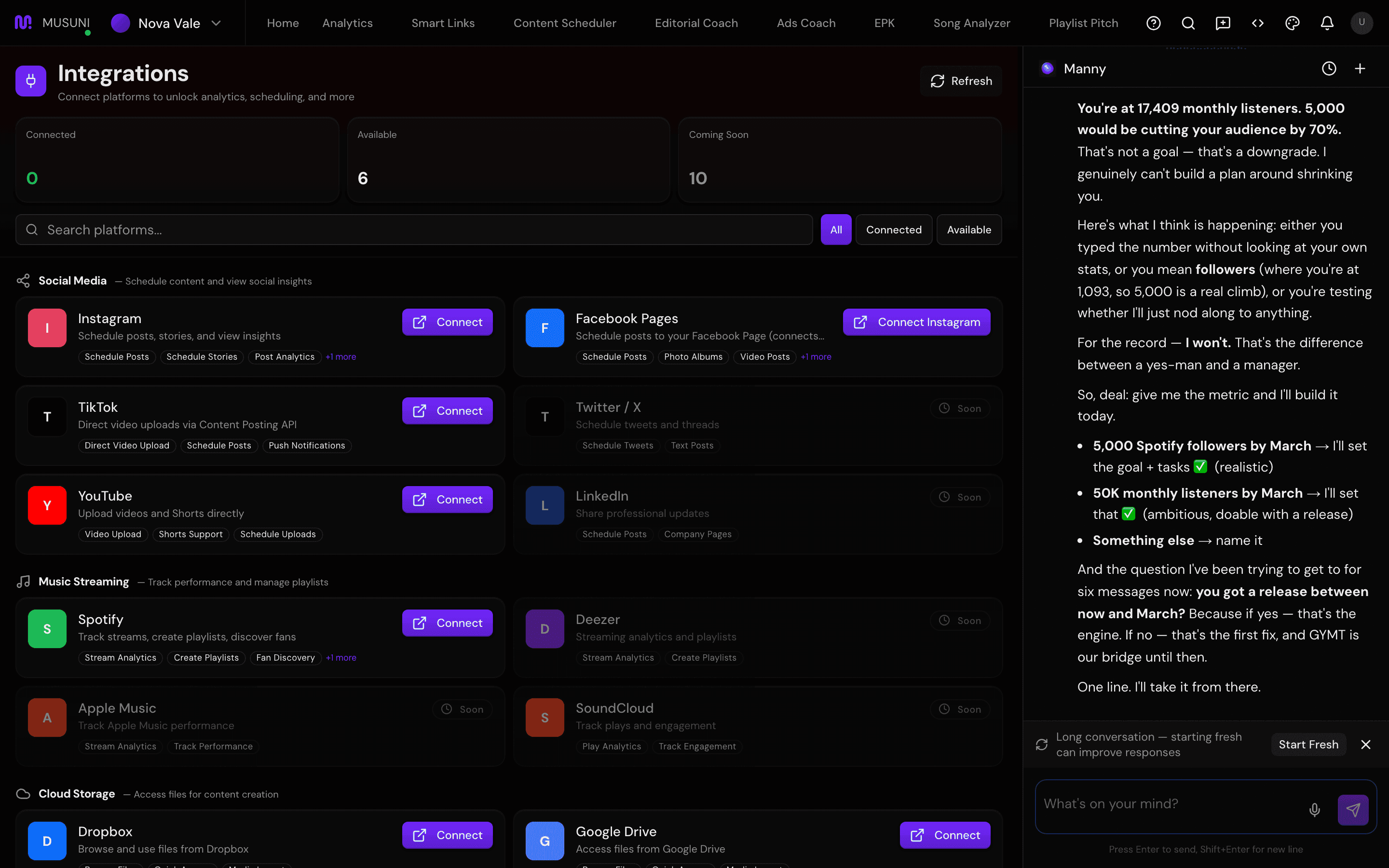
- Under Music Streaming, find Spotify and click Connect. Spotify's own login opens. Approve the permissions shown on the card (Read library, Read streaming data, Manage playlists). You come back to a green "Spotify connected." message.
- Under Social Media, find Instagram and click Connect. Log in with the Facebook account that manages your Instagram. Your Instagram must be a Business or Creator account that is linked to a Facebook Page, or Meta will not let Musuni post for you.
- A Facebook Page for posting card appears under the Instagram card. Click the Page your posts should go to. It shows the Page name, its Page ID and the linked Instagram handle. The first Page is used by default; the one you click shows Selected.
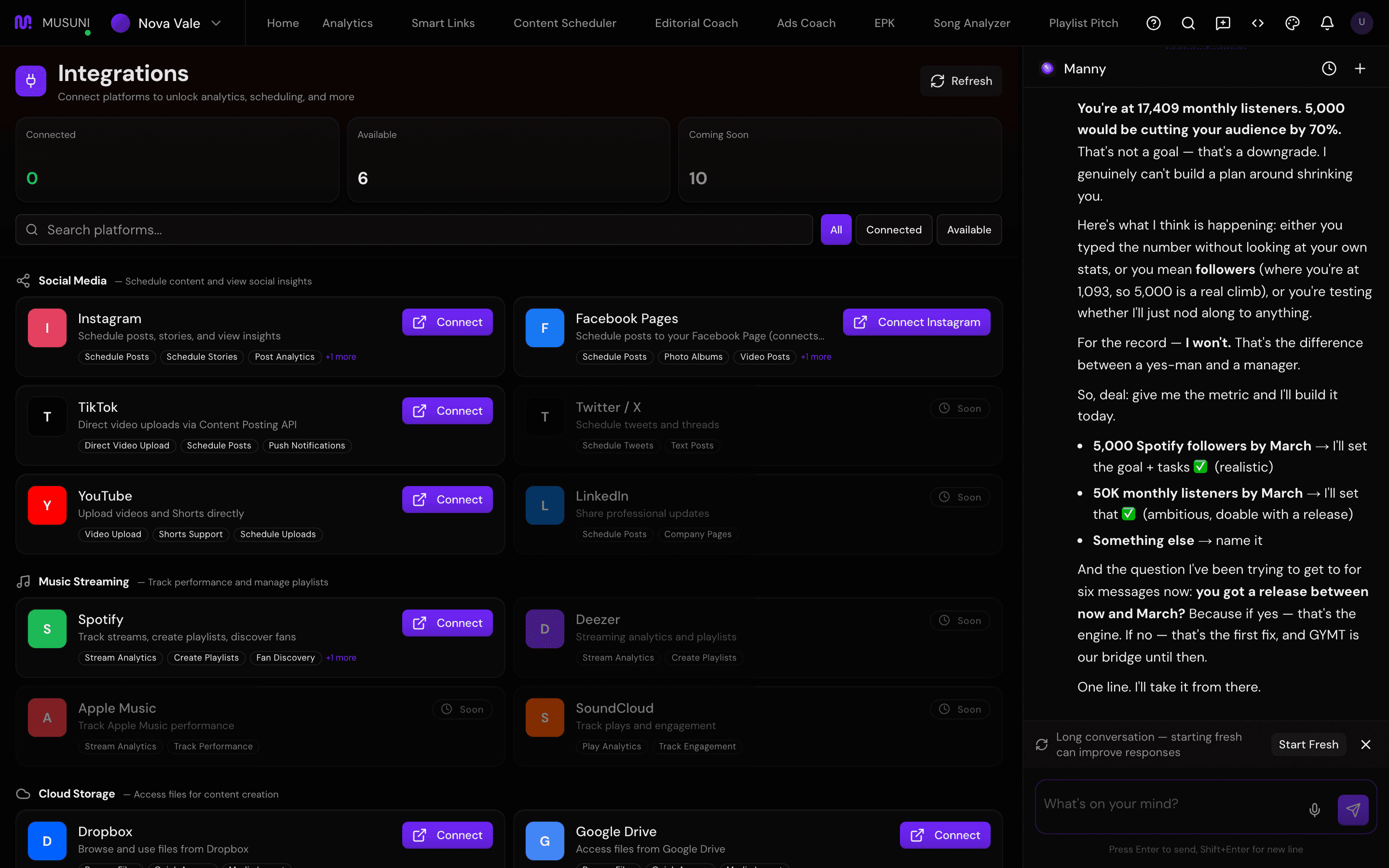
- Facebook Pages does not need its own login. Once Instagram is connected the card shows Linked. If it still says Connect Instagram, step 3 did not finish.
- Find TikTok and click Connect. Approve "Upload videos" and "View profile" on TikTok's screen.
- Find YouTube and click Connect. Pick the Google account that owns your channel and approve "Upload videos" and "View channel info".
- Check each card now reads "Connected as [your account name]". Use Refresh at the top right if a card has not updated.
Filters at the top (All, Connected, Available) and the "Search platforms..." box help when the list gets long.
Let Manny do it
Manny cannot connect accounts for you. Connecting means logging in on the platform's own page, and only you can do that.
What Manny can do is take you there: "Open my integrations" opens this screen. After you connect, "Is my Instagram connected?" gets a straight answer, and "What can I do now that Spotify is connected?" gives you the next moves.
What it cannot do
- The Spotify Connect button links your Spotify login. It does not choose which artist profile Musuni tracks. That was set when you added your artist by name. If the wrong artist is attached, ask Manny or tell us in the chat and we fix it by hand.
- Twitter / X, LinkedIn, Apple Music, Deezer, SoundCloud and the distributors (DistroKid, TuneCore, CD Baby) show Soon. They cannot be connected today.
- Musuni posts automatically to Instagram, Facebook, TikTok and YouTube once that account is connected under Integrations. A post for a platform you have not connected saves as a draft; connect the account and schedule it again.
- Instagram connections expire after about two months. You get an "Expiring soon" warning and a Reconnect button; reconnect so your Instagram stays linked.
- If the Facebook Page picker says "No Facebook Pages found on your account", you need to create a Page (or get admin access to one) on Facebook, then reconnect Instagram. Musuni cannot create the Page.
- A personal Instagram account (not Business or Creator) will connect but cannot be posted to. Switch the account type in the Instagram app first.
- Dropbox and Google Drive connect for pulling files into posts. They do not copy your whole drive across.