
Verify your artist profile
Musuni knows the artist is really you, so nobody else can claim your catalog or send pitches, venue emails and fan messages in your name.
What this gets you
A checkmark next to your name, and proof that the person sending pitches, venue emails and fan messages in this artist's name is you. Nobody else can claim your catalog and speak as you.
When to use it
If you added an artist that already has music on streaming services, do this in your first week. Nothing is locked while you wait, so you can keep working, but it is quick and it protects your name.
If you are brand new, with no music on streaming services yet, you are not asked to verify. Come back after your first release.
Why we ask: when you claim an existing catalog, Musuni will contact real curators, venues and fans in that artist's name. Proof that it is you protects your name from being used by someone else.
Do it
- Open Settings and click Artists in the left menu. Pick your artist at the top if you manage more than one.
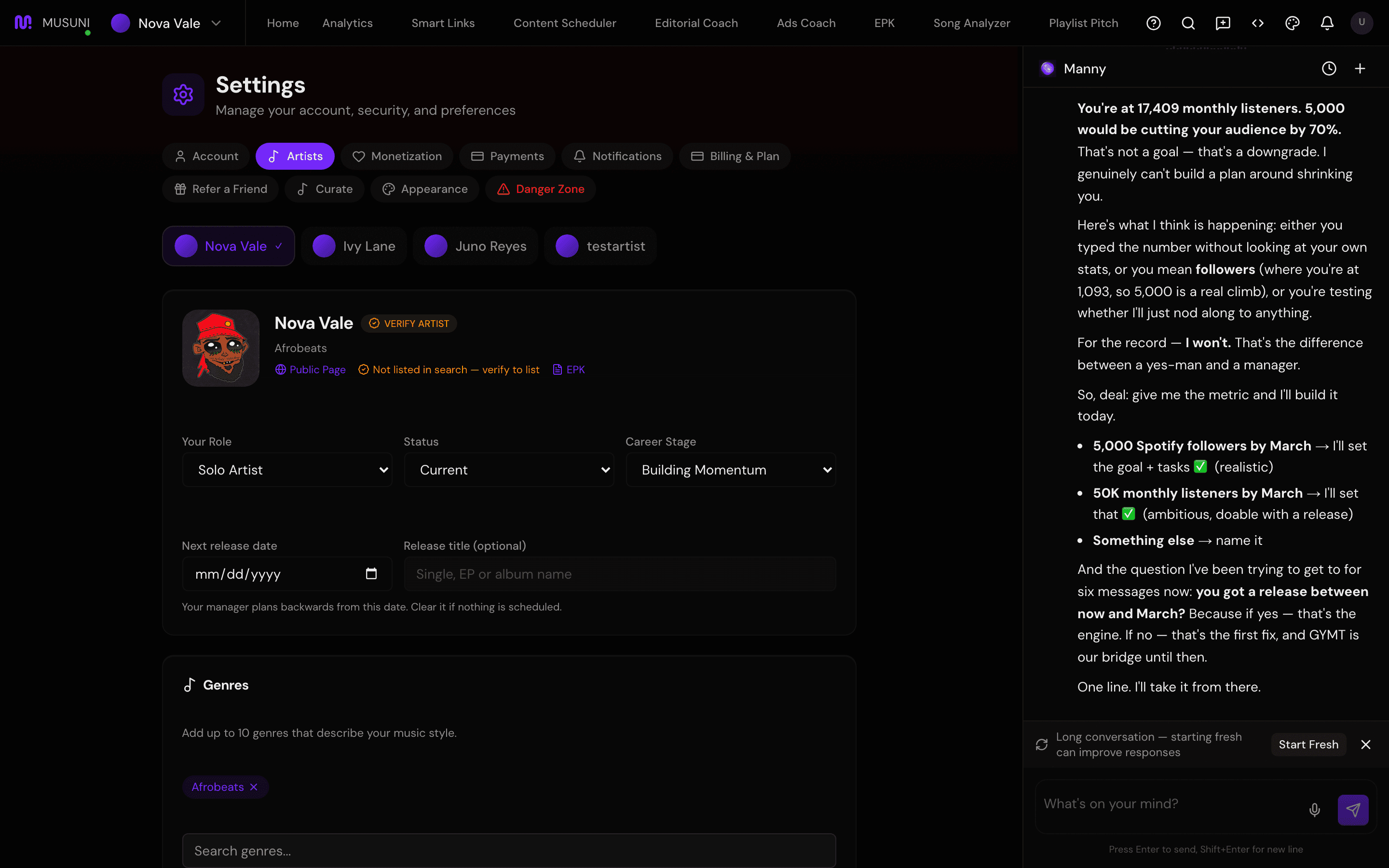
- Next to the artist name, click Verify Artist. (If it already reads Verified, you are done.)
- In the "Verify [artist]" window, keep Instagram selected. This is the fast method.
- Type your Instagram Username and choose Your Role / Relationship (for example Artist, Manager, Band Member).
- Copy the URL shown under "Add this URL to your Instagram bio:" using Copy. It looks like
musuni.io/b/your-artist. - In the Instagram app, edit your profile and paste that URL into the bio link. Save.
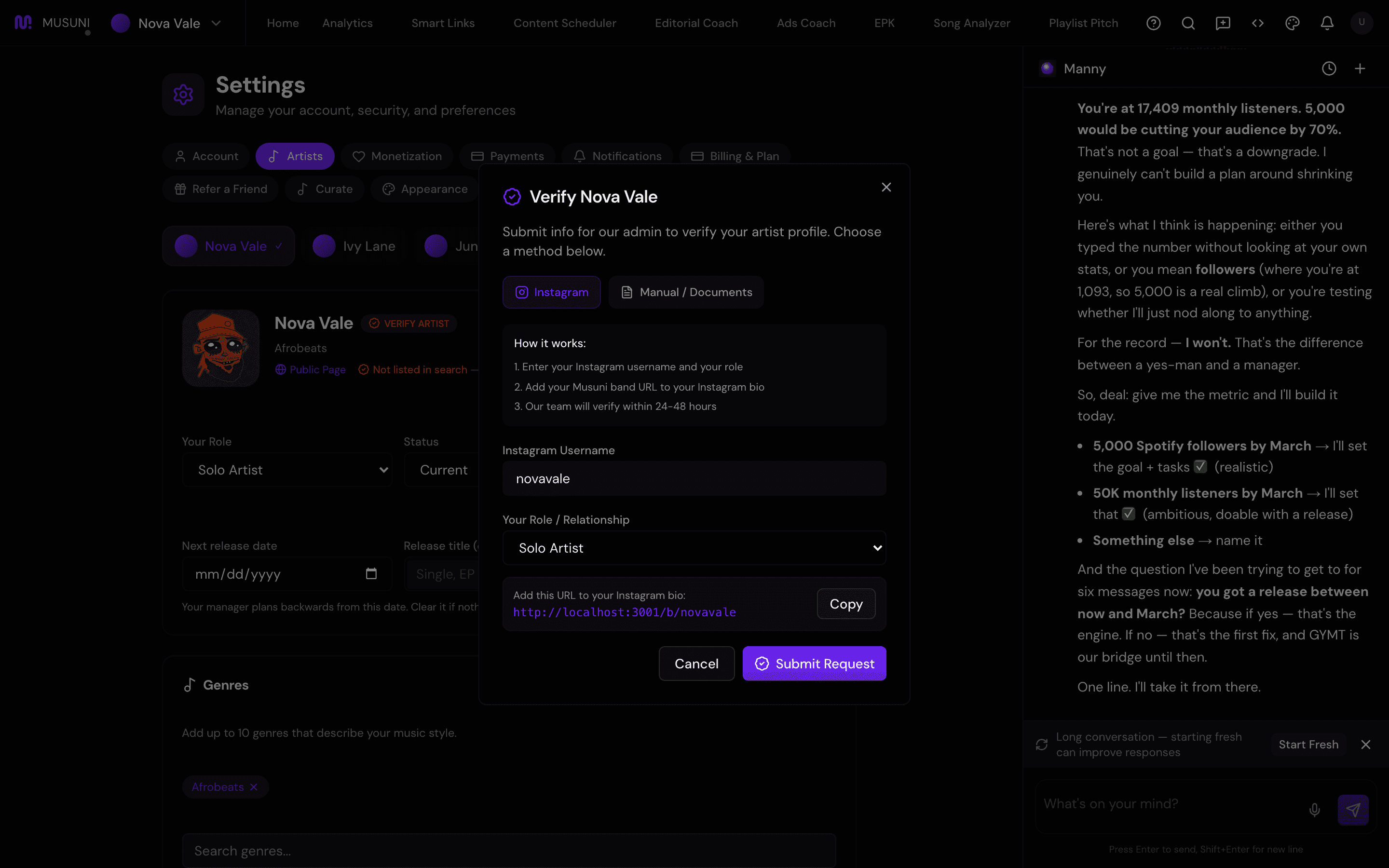
- Back in Musuni, click Submit Request. You see "Verification Request Submitted!" Click Got It!.
- Leave the link in your bio. Musuni usually approves it automatically once it sees the link on your public profile, which can take a few hours; otherwise a person reviews it. The artist row shows Pending Verification until then.
No Instagram? Choose Manual / Documents in the same window, paste links that prove you are connected to the artist (press articles, your official site, a distributor or label page, social profiles) into Document URLs (one per line), add a note in Additional Message (optional), and click Submit Request. A person reviews it, usually within 1 to 3 business days. If it is rejected you see the reason under "Verification Rejected" and can resubmit.
Let Manny do it
Manny cannot verify you. Only you can put a link in your Instagram bio or send proof.
"Am I verified?" tells you the status. "Open verification" opens Settings with the verify window ready.
What it cannot do
- Verification by Spotify login is not offered in the app yet, even though you may have connected Spotify. Instagram bio link or documents are the two paths today.
- The Instagram check reads your public profile. A private Instagram account cannot be checked automatically; use the document method instead.
- Approval is not instant on the document path. Expect 1 to 3 business days.
- You cannot skip verification by removing and re-adding the artist. The same catalog resolves to the same record.