Build your press kit
A one-page press kit at your own link that a venue, blog or curator can read in two minutes, ready to send tonight.
What this gets you
One link that answers "who are you and why should I care" for a booker, a writer or a playlist curator. You send it instead of writing the same paragraph every time.
When to use it
Before you email anyone about a show, a feature or a placement. Update it when you release, play a notable room, or get press. Skip it only if you already host a press kit elsewhere, and even then paste that link into your artist page.
A draft is waiting for you. When you added your artist, Musuni pre-filled a press kit from your profile (name, genres, photo, social and streaming links). The welcome page shows it under "Manny set these up for you" as Press Kit Draft.
Do it
- Open Press Kit (Cmd+K, type "Press Kit", or the card on your welcome page). It opens in Core Info.
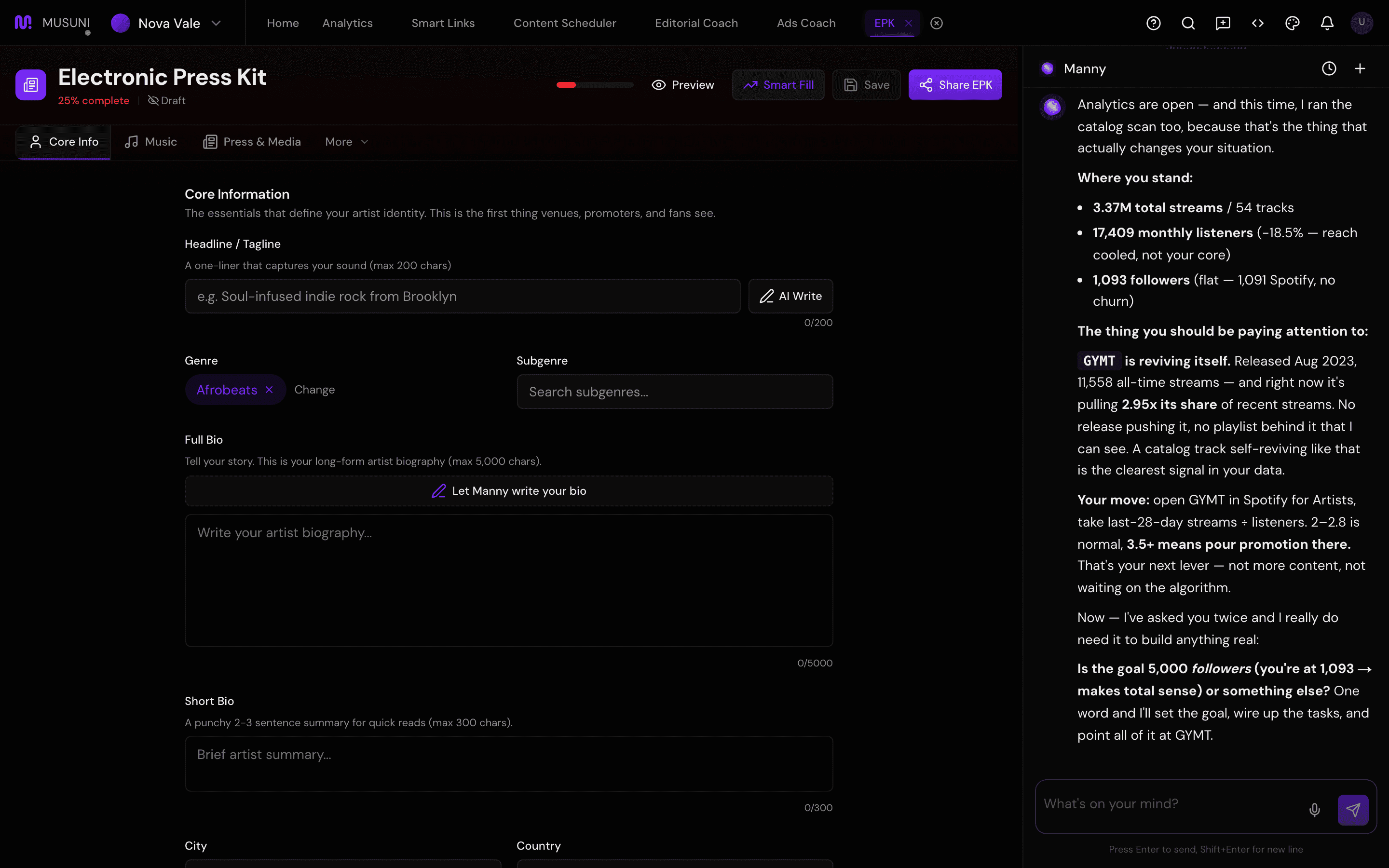
- Fill the Headline / Tagline ("e.g. Soul-infused indie rock from Brooklyn"), pick your Genre with the search box (your own genres are listed first), and write or paste your Full Bio. Staring at a blank box? Click Let Manny write your bio under the field. The draft appears in a banner at the top with Use This, Regenerate and a dismiss button, so nothing lands in your kit until you accept it. Then edit it into your own voice. Let Manny write it beside the tagline does the same for your one-liner, not the bio.
- Add your city, country and years active. Type the rooms you have played into the venue box and press Enter after each.
- Switch to the Music tab. If Spotify is attached, click Auto-fill from Spotify to pull your top tracks. Otherwise add songs by title and link. Paste your streaming profile links (Spotify, Apple Music, YouTube, SoundCloud, Bandcamp and more). Add albums (title, year, Spotify URL) and videos (title, YouTube or Vimeo URL).
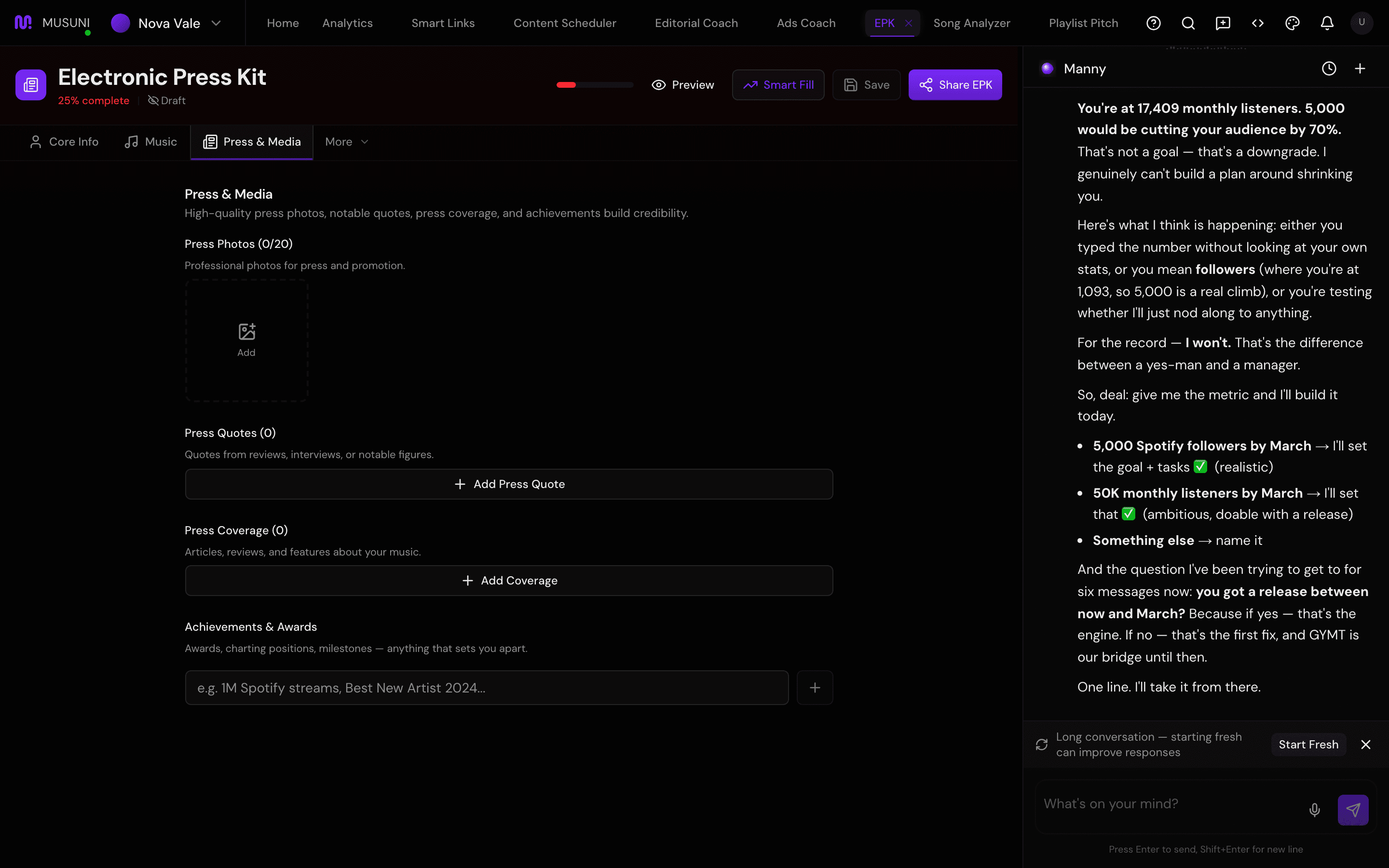
- Switch to Press & Media. Upload photos, add quotes ("The quote...", "Who said it", "Publication"), press articles and achievements (for example "1M streams" or "Best New Artist 2024").
- Under the extra tabs, fill Technical (band size, set length, links to stage plot and tech rider) and Business (booking fee range, typical draw, social links). Bookers read these first.
- Click Smart Fill in the header to pull streaming links, achievements and stats from the platforms Musuni tracks, then click Save.
- Click Share press kit in the header. That publishes the kit, and only then does the visibility control appear: Unlisted (anyone with the link) or Public (also listed in search). Copy your link, which looks like
musuni.io/epk/your-artist, and paste it into your artist page and your email signature.
Let Manny do it
"Help me set up my press kit" opens the workspace and walks you through the empty sections. "Write my bio" drafts a biography from what Manny knows about you; paste it into the Biography box and edit it. "What's missing from my press kit?" tells you which sections are thin.
Manny does not upload photos or press clippings. Those steps are yours.
What it cannot do
- It does not generate photos or fetch press about you. Bring your own images and links.
- Auto-fill from Spotify and Smart Fill only work when your artist has music on streaming services. A brand-new artist fills the Music tab by hand.
- A kit with a two-line bio and no photos is worse than no kit. Save does not check quality; Manny will nudge you when the kit is under 70% complete.
- Draft means only you can see it. A booker who opens a draft link sees nothing. Publish it with Share press kit before you send the link to anyone.
- Public puts the kit in search engines. Unpublishing later removes it from Musuni, but a search engine may keep its copy for a while.
- The Analytics tab counts views of the kit page. It does not tell you who viewed it.