
Set up your artist page
One link in every bio that sends fans to your music, your shows, your merch and your mailing list, with every click counted.
What this gets you
One address, musuni.io/b/your-artist, that you put in every bio. Fans land on it, pick their platform, and you see which links they tap. Every release you make later gets its own page under the same address.
When to use it
Right after your press kit, and before you post about anything. If you already use Linktree or another link-in-bio tool, bring your links over in a minute instead of starting again: this is the page Musuni verifies you with, and it feeds your click numbers back to Manny.
A first version already exists. When you added your artist, Musuni built the page from your social and streaming links. The welcome page shows it under "Manny set these up for you" as Artist Page.
Do it
- Open Link in bio (Cmd+K, type "link in bio"; the menu lists it as Smart Links). Click the Link in bio tab. The header reads "Customize what appears on your artist page". Click Preview to see the page as a fan sees it.
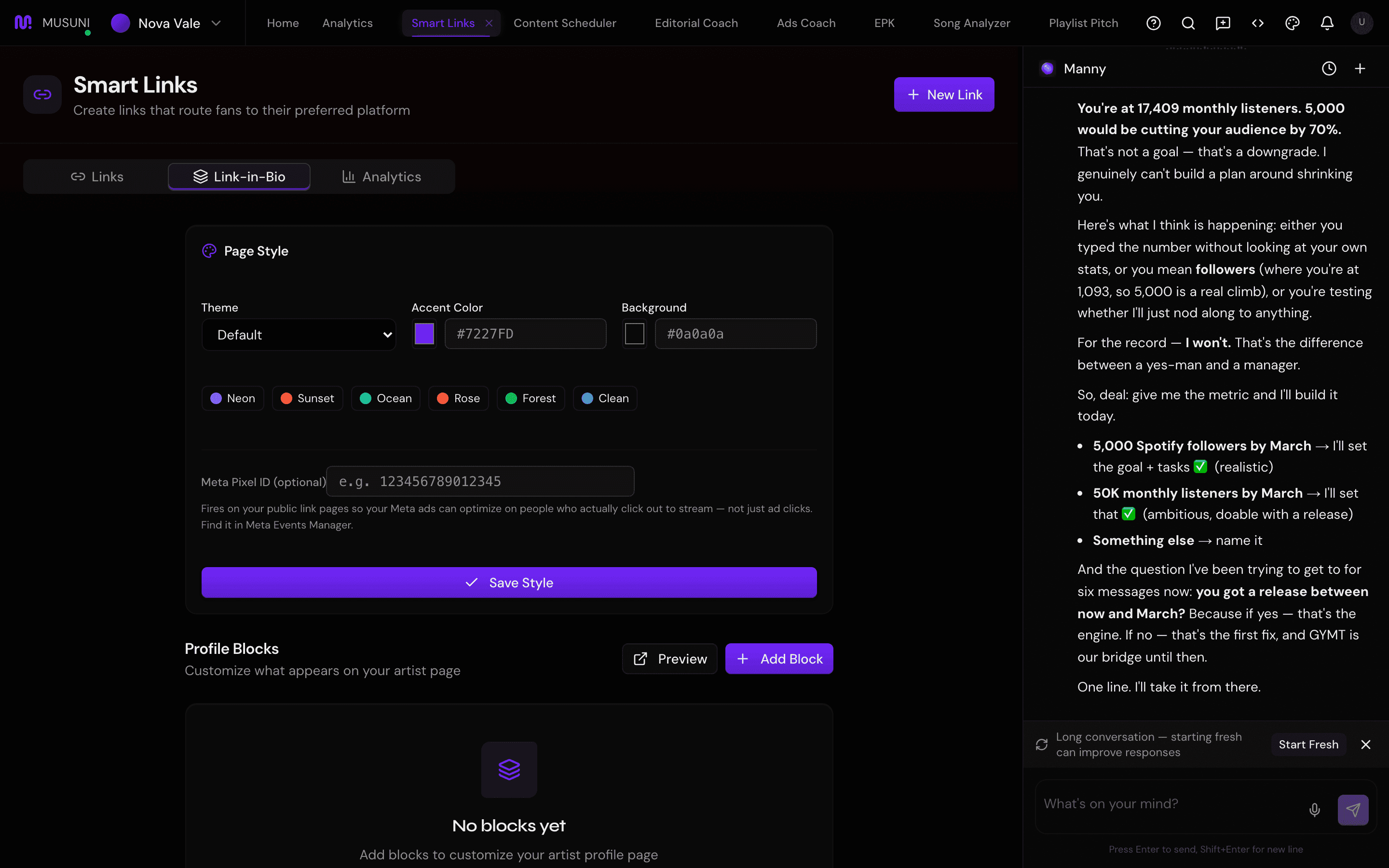
- Coming from Linktree or a release link page? On the Bring your links over card click Import links. Choose Import from Linktree and type your page link, or Paste links to paste them in. Check the list under "Check what we'll add" and confirm. Nothing goes live until you have checked it, and you can undo the import.
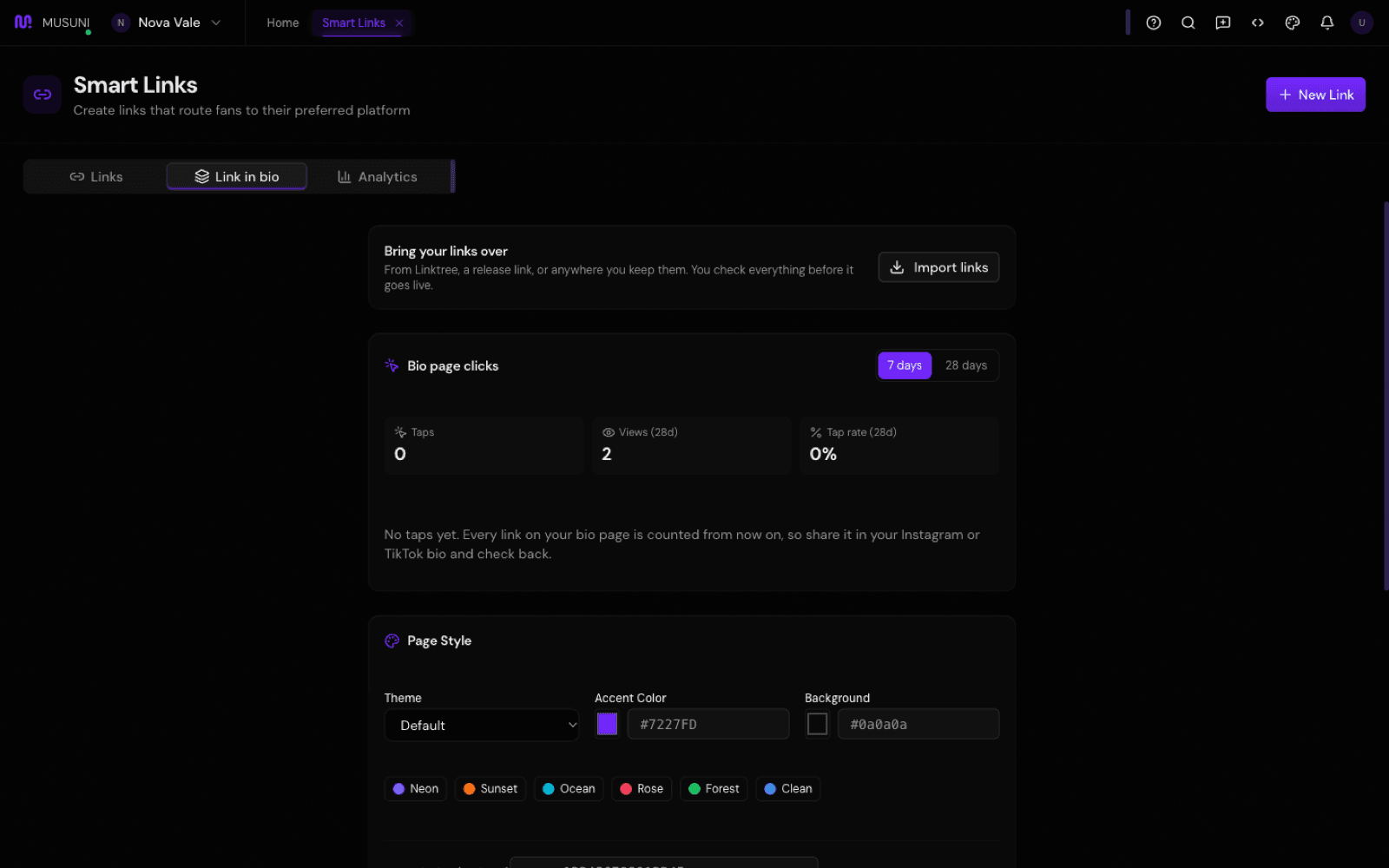
- Under Profile Blocks, click Add Your First Block (or the add button if blocks exist). Pick a block type: Music Links (your profiles on every platform), Social Links, Featured Release, Upcoming Shows, Merch, Newsletter Signup, Embed (a Spotify player or YouTube video), Support Me (fan tips), or Custom Links.
- Fill the block's fields (a URL per platform for Music Links, a display name and description for Support Me, and so on) and save it. Drag blocks to reorder them. Put the thing you want tapped most at the top.
- Pick a Theme (Default, Dark, Light, Vibrant), an Accent Color and a Background. Leave Meta Pixel ID (optional) empty unless you are running ads. In an Upcoming Shows block, turn on Show my upcoming shows automatically and shows you add in Events appear on their own.
- Copy your address from the line "Blocks appear on your public profile at musuni.io/b/your-artist" and paste it into your Instagram, TikTok and YouTube bios.
- On the Links tab, click New Link for your latest release. Give it a Title, paste one streaming link into "Paste a Spotify, Apple Music, or YouTube link..." and Musuni finds the same release on the other platforms. Add artwork and click save. Each release gets its own page,
musuni.io/b/your-artist/your-release.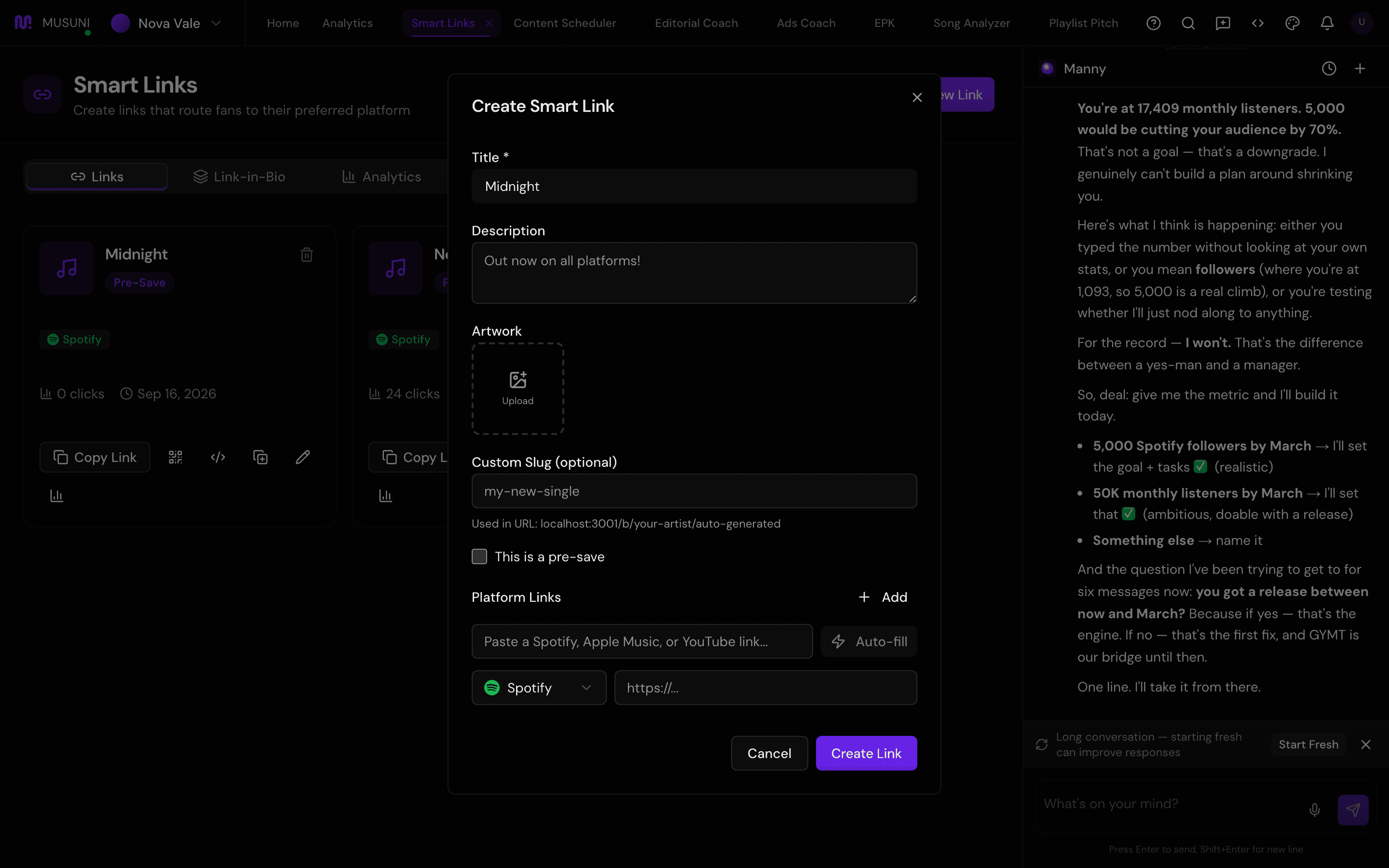
- On any link row, use QR Code for flyers and merch tables, Embed Code for your website, and Duplicate to copy a setup for the next release. Watch Bio page clicks for taps on each link, views and tap rate, and the Analytics tab for clicks per platform on your release links.
Let Manny do it
"Create my artist page" or "Open my link-in-bio editor" opens the Link in bio tab. "Bring my Linktree over" imports your links for you to check. "Create a smart link for my new single" asks for the release link and builds the release page with every platform it can find. "How many clicks did my smart link get this week?" reads the numbers back to you.
Manny cannot paste the link into your Instagram bio. That is one tap in the Instagram app, and it is yours.
What it cannot do
- Auto-finding platforms works from a Spotify, Apple Music or YouTube link. If the release is not on those, add each platform by hand with Select platform... and its URL.
- Clicks are counted; streams are not. A tap to Spotify is a tap, not a play, and never a save.
- The page address is built from your artist name. Renaming the artist does not rename the address of links you have already shared.
- Upcoming Shows and Newsletter Signup blocks show what you have entered elsewhere in Musuni. An empty events list means an empty block.
- Import reads Linktree pages and release links from the common release-link services. Some pages, such as Beacons, cannot be read; paste those links instead.
- Support Me needs payouts set up under Settings before fans can actually tip.
- Musuni adds a small "Powered by Musuni" line at the bottom of the page. It cannot be removed on the Free plan.