
Plan your next month
A plan built from where you are today: four things to finish this month, checkpoints for the stretch you pick, and an honest read of what is working and what is missing.
What this gets you
Four concrete things to finish this month, each one a button away, plus checkpoints for the next six months, year, or two years. It starts from the work you have already done in Musuni and the numbers you already have, and it never invents a forecast.
When to use it
Use it when you are not sure what to do next, at the start of a month, or after a release to reset. You do not need streaming numbers or a catalog: a brand new artist gets a plan built from stage and goals. Rebuild it when your situation changes, not every week.
Do it
- Open Career Roadmap (Cmd+K, type "Career Roadmap"). The top of the screen shows Already in motion: what you have already started in Musuni (a mix read, your press kit, a smart link, your content calendar, your Manny goals) and what is still missing. Below it, What to do next previews four things you could finish this month.
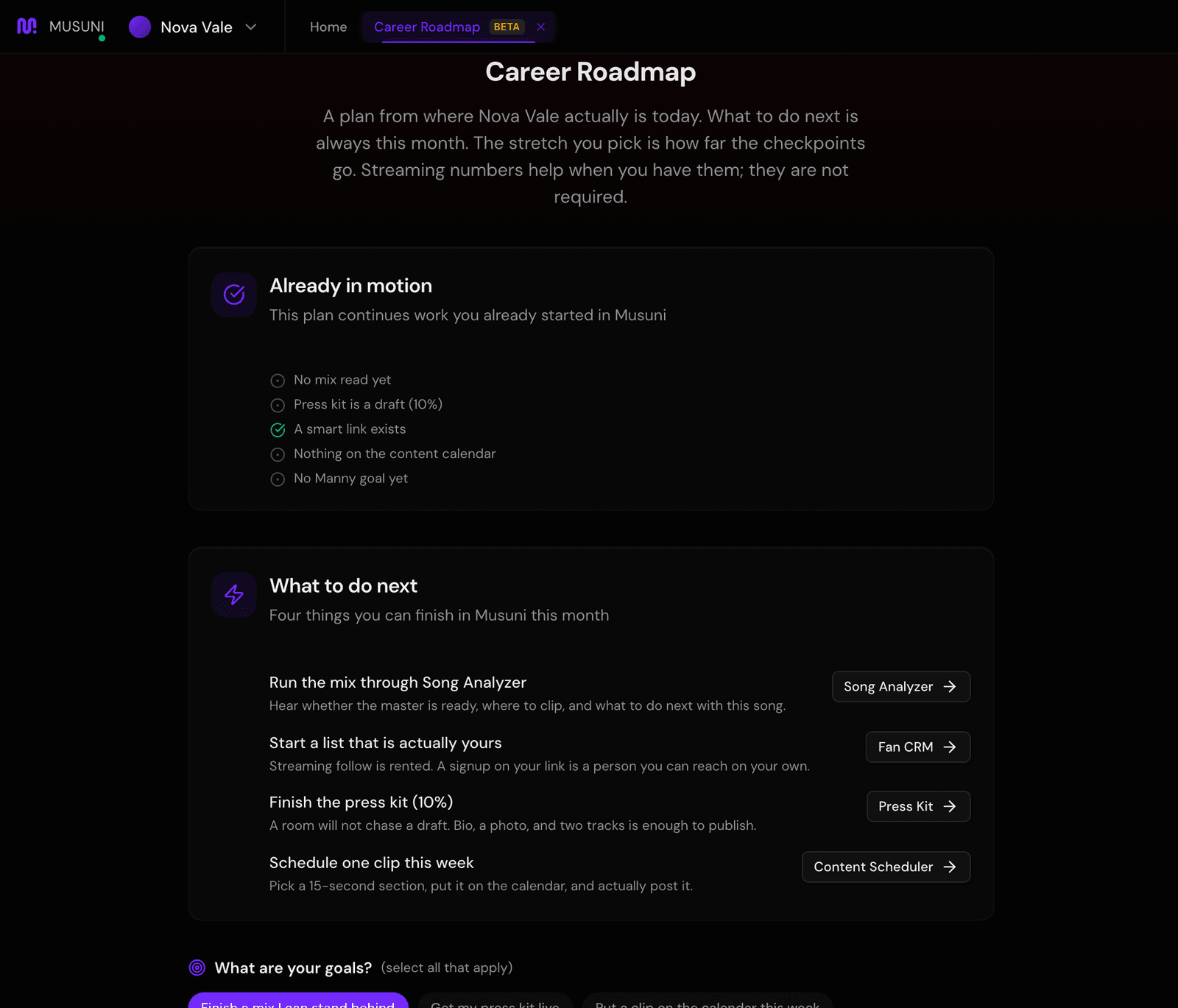
- Under What are your goals? pick everything that applies, for example "Finish a mix I can stand behind" or "Grow a list I own". Type your own into Add a custom goal... if none fit.
- Under How far out pick 6 Months, 1 Year (recommended) or 2 Years. This sets how far the checkpoints reach. What to do next is always this month either way.
- Check Career Stage (Emerging, Developing, Established or Professional) and Primary Genre. Add a few Similar Artists if you want the plan to compare you to people in your world. That field is optional.
- Click Build the plan (the button names the stretch you picked, like "Build the 1-year plan"). It takes about a minute while it works through where you are, an honest read, what to do next, and the checkpoints.
- Start at the top of the result. What to do next is the part to act on: four cards, each with a button that opens the tool that does it (Song Analysis, Press Kit, Content Scheduler, Fan CRM and so on). Where You Are Now shows your key numbers and what is working and what is missing.
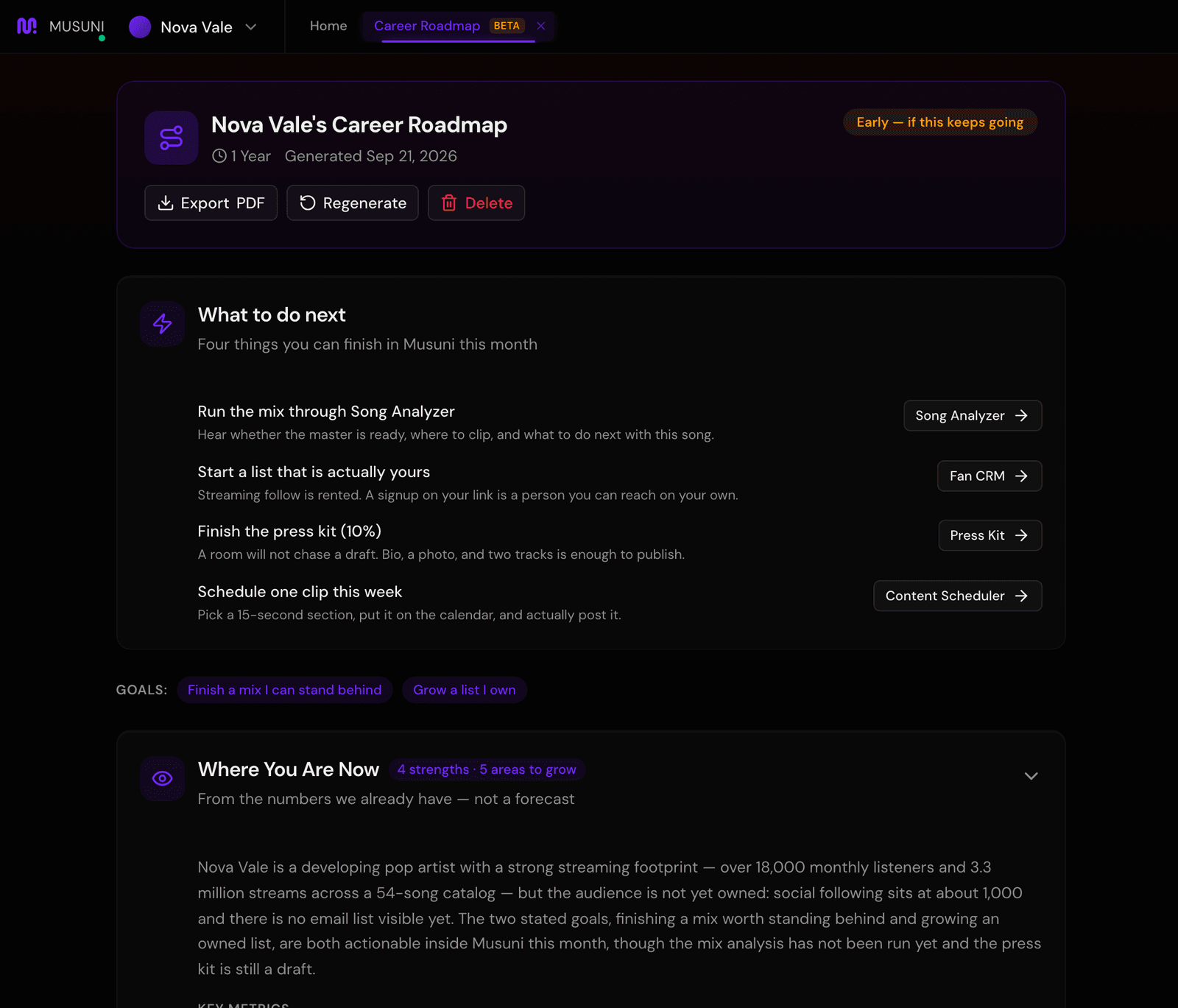
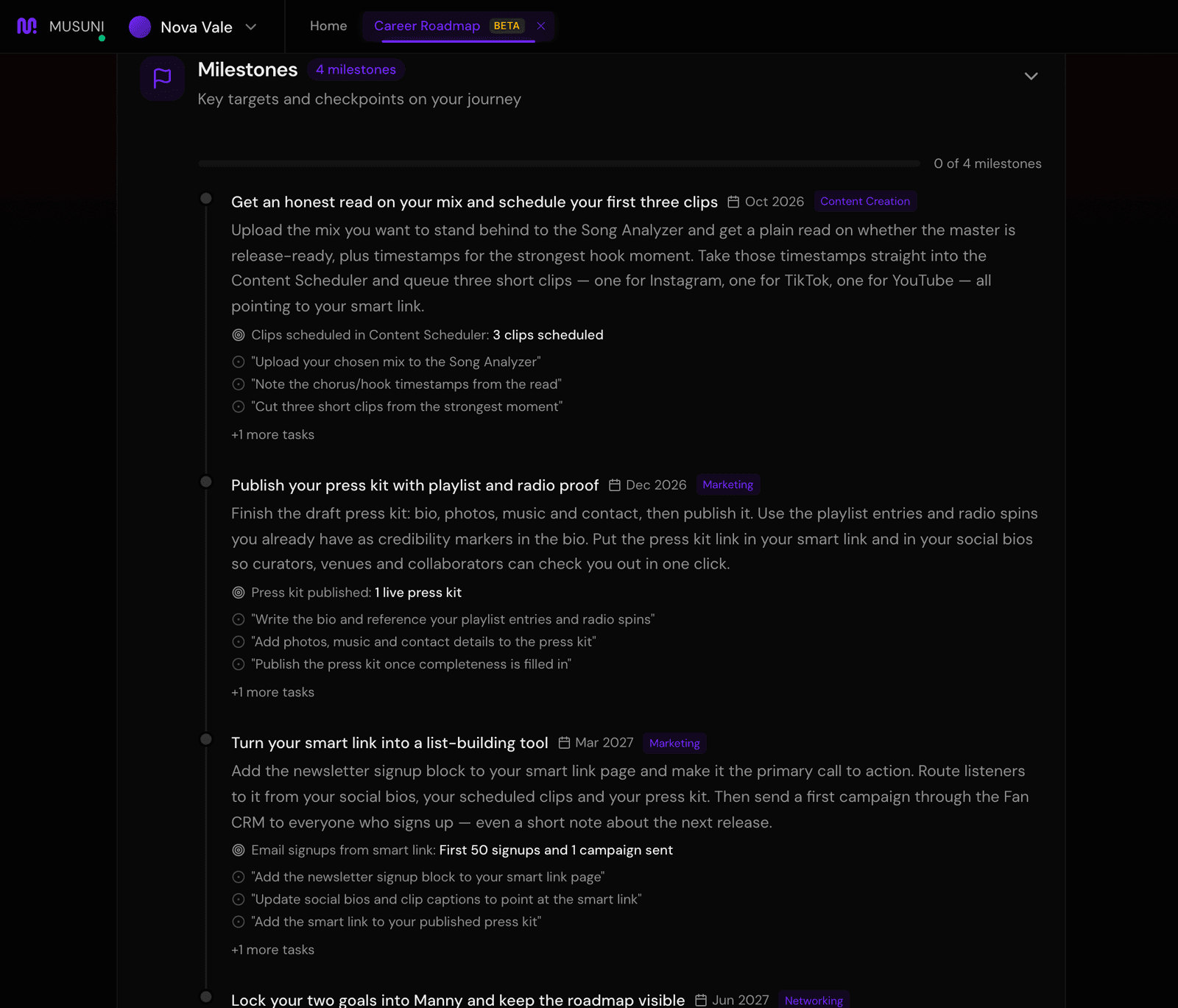
- Scroll to The plan for the longer write-up behind each move, then Milestones. Click a milestone to mark it in progress, and again to mark it done. The bar counts them.
- Use Export PDF to keep a copy. Regenerate throws the current plan away and takes you back to step 2, so export first if you want to keep it.
Let Manny do it
"What's my plan this month?" or "Show me my career roadmap" and Manny reads your current plan back to you and opens Career Roadmap. If you have no plan yet, Manny opens the screen so you can build one: Manny cannot build the plan for you, you pick the goals and click Build.
Goals work the other way round. Type "set a goal: 25,000 monthly listeners by March" and Manny creates the goal with its first tasks, and it shows at the top of Career Roadmap under Goals you set with Manny. See Teach Manny about you.
What it cannot do
- It does not predict streams, listeners, playlist adds or income. If this keeps going is a trend read from your recent numbers, labeled as such, and it says "Early" when there is not enough history.
- It only knows what Musuni can see. If an account is not connected, it says so instead of counting it as zero, and a plan built without streaming numbers leans on your stage and goals.
- The write-up is generated for you each time you build, so wording changes between builds. The four moves and the checkpoints are the part to act on.
- Beta: building takes about a minute and can occasionally fail. If it does, click Build again.
- One plan at a time. Regenerate replaces it; there is no history of old plans on this screen.