Run ads the honest way
A two-phase Meta ad plan you build and fund yourself, judged by one honest number (cost per click-out) with a clear rule for when to stop.
What this gets you
A step-by-step plan for cheap video-view ads that find the people who actually watch, then a second ad that sends only those people to your smart link. You get a single number to judge it by, and permission to kill it when the number says so.
When to use it
Use it for a release you have a smart link and a strong 15 to 30 second vertical clip for, ideally starting 14 days before release day. It also works to revive an older track or to grow your audience. Do not run ads on a song people scroll past; the plan tells you how to find that out cheaply first.
Do it
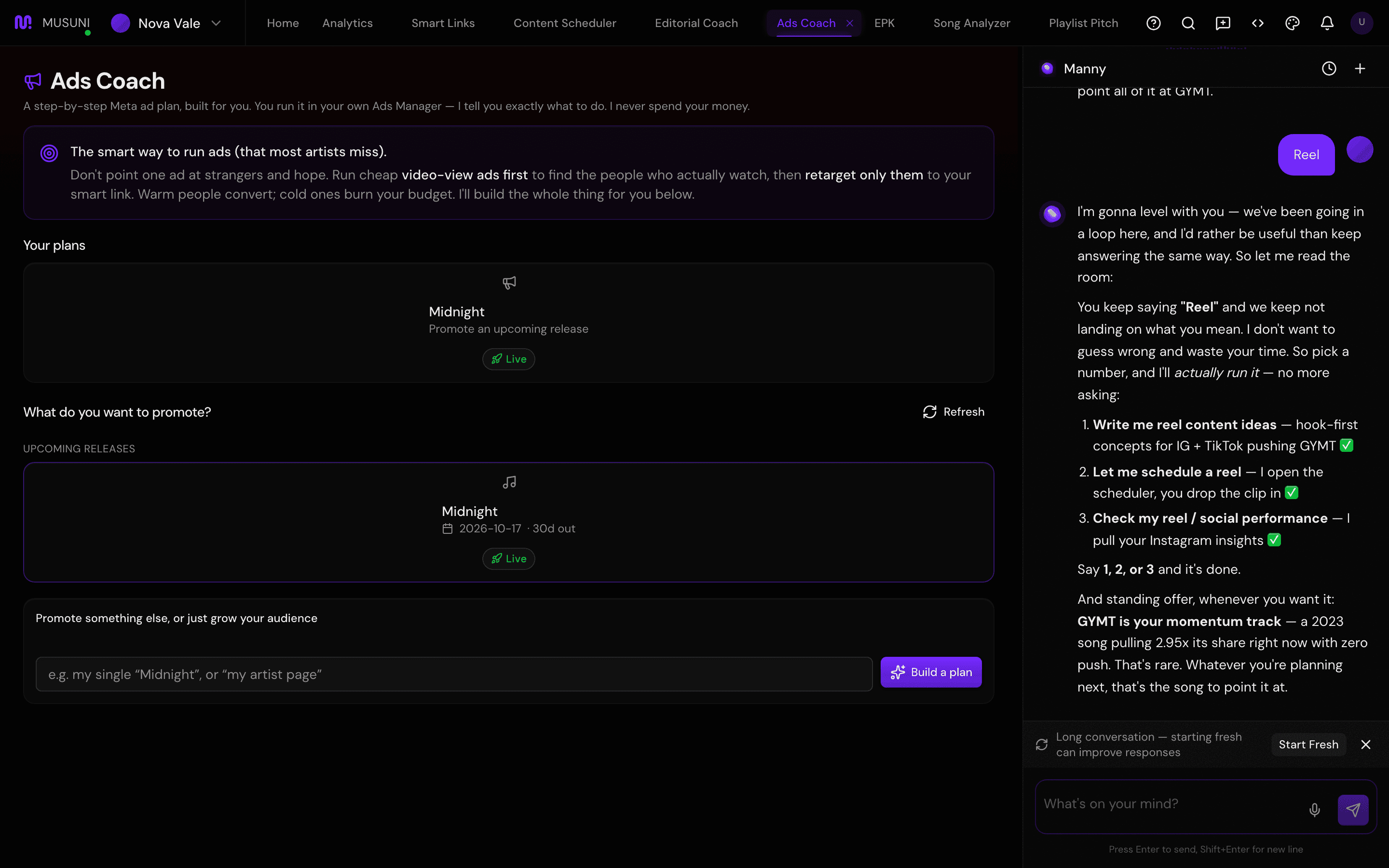
- Open Ads Coach. Under What do you want to promote? click your song under Upcoming releases (a Start soon badge means you are inside the 14-day window), a track under Revive a recent track, or type something into Promote something else, or just grow your audience and click Build a plan.
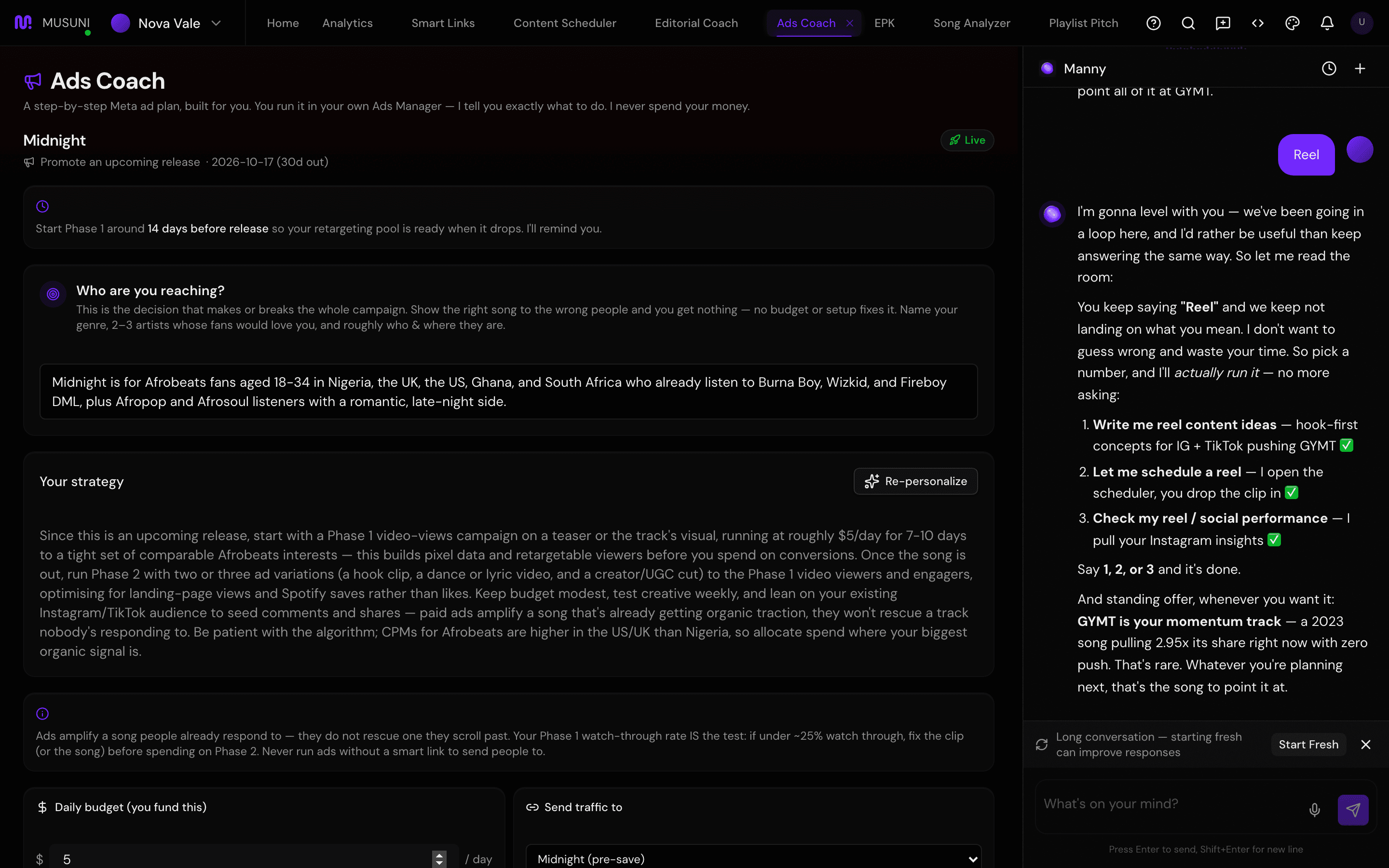
- Answer Who are you reaching? first: your genre, 2 or 3 artists whose fans would love you, and roughly who and where they are. Or click Personalize for me and your manager drafts the audience, strategy and budget from your genre. Ads fail here, not in the settings.
- Set Daily budget (you fund this) and pick a link under Send traffic to. No link yet? Make one in Link in bio first.
- Work Phase 1, warming up an audience with video views. Tick each step as you do it in Meta: use Ads Manager not Boost, around $5 a day for 5 to 7 days, a broad audience, your best clip with the hook in the first 3 seconds, Call to Action set to "No Button", Audience Network off, every auto-enhancement off. Click Open Meta Ads Manager to do the work there.
- Once it is running click I launched it. Judge Phase 1 by hold rate, not likes: if a good share of viewers reach 50 percent, the pool is building. Your manager reminds you in a few days to start Phase 2.
- Work Phase 2, retargeting the watchers: build a Custom Audience of people who watched 50 percent or more, create a Traffic campaign at $5 to $10 a day, target only that audience, and send them to your smart link with one clear listen-now call to action.
- In Results: cost per click-out, type what you have spent under Spent so far (from Ads Manager) and click Update. You see Click-outs, Before the ad (your link's normal daily click-outs) and Cost per click-out. Under about $0.50 is strong, $0.50 to $1.50 is normal, well above $2 means fix the clip or the audience before adding money.
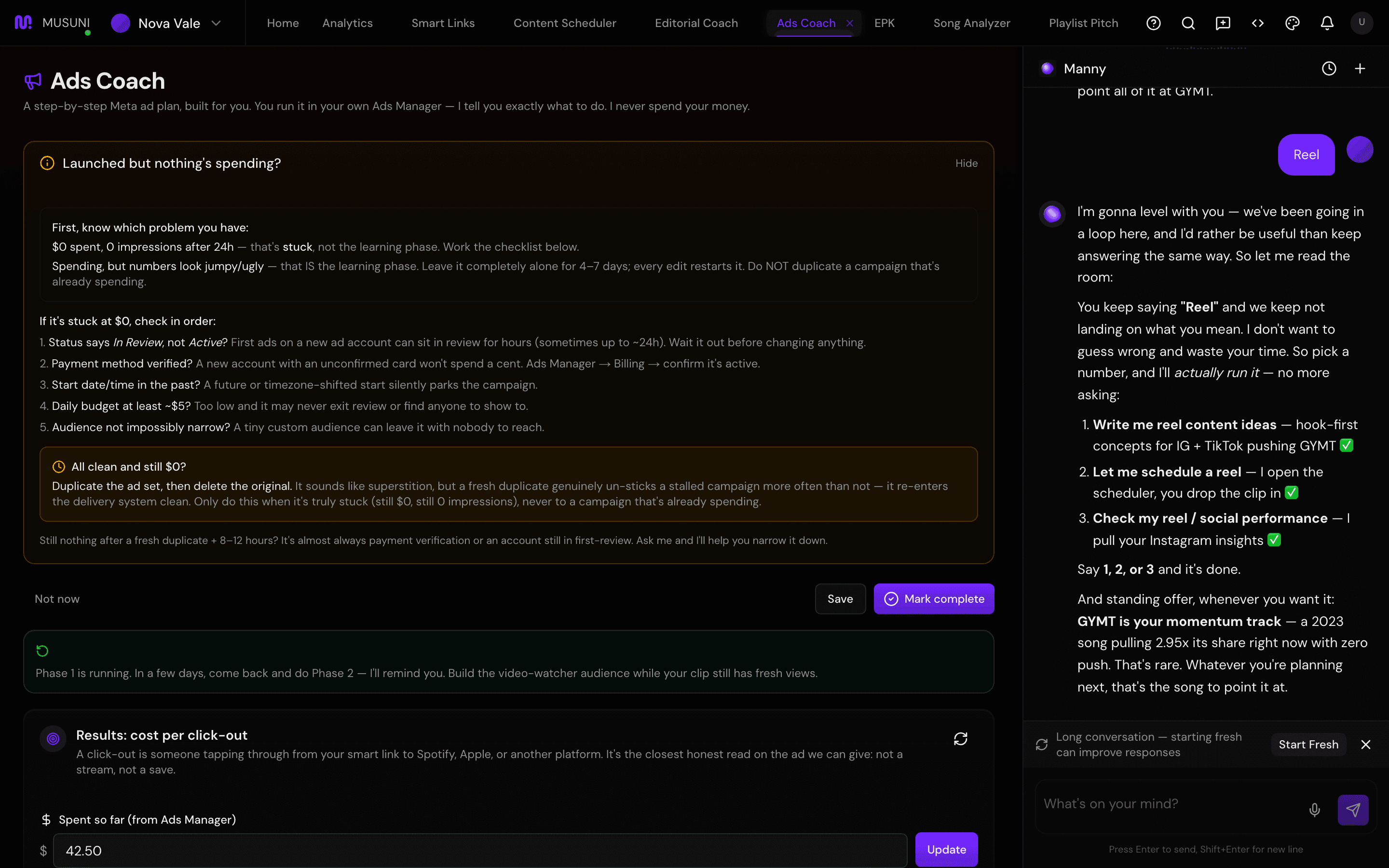
- Know when to stop. Under about 25 percent watch-through in Phase 1: fix the clip or the song before spending on Phase 2. Cost still high after swapping the audience and testing a genuinely different creative: stop and bank the rest for the next release. Spending stuck at $0? Open Launched but nothing's spending? and click Fix it for the checklist (In Review vs Active, payment method, start date, budget at least about $5, audience not tiny, then duplicate the ad set). Click Mark complete when the campaign is done.
Let Manny do it
Type "Build an ads plan for my single Midnight" and Manny drafts the plan, audience and budget for that release and opens Ads Coach with it. "How are my Midnight ads doing?" reads back click-outs and cost per click-out. Manny cannot create, fund or edit anything inside Meta; you build the campaign in Ads Manager and type your spend back in.
What it cannot do
- Musuni never spends your money, never touches your ad account and never builds the campaign. Everything in Meta is you.
- It cannot read results from Meta. The spend is what you type in, and the clicks are from your smart link only.
- A click-out is someone tapping through to a streaming platform. It is not a stream and not a save. Saves live in Spotify for Artists.
- Before the ad is blank until the smart link is at least 14 days old.
- Meta (Instagram and Facebook) only. No coaching for TikTok, YouTube or Google ads yet.
- The launch reminder is only set when release is more than 14 days away.